
Launching your first website is exciting—whether you are registering a domain name for a personal blog or opening an online store. As you set things up, you will quickly run into technical terms like SSL, TLS, and HTTPS.
While they sound complicated, the concept behind them is simple: they keep your website and your visitors safe. Understanding how they work will help you protect your customers, build trust, and even improve your Google rankings.
Why Website Security Matters
Every time someone visits your website, their browser sends and receives information from your web server. This could be as simple as loading a blog post or as sensitive as typing in a password, home address, or credit card number.
Without security, that data travels across the internet in plain text. Think of it like sending a postcard through the mail—anyone who handles it along the way can read what is written on it. To stop hackers from intercepting private information, websites use encryption. That is where SSL, TLS, and HTTPS come in.
1. What is SSL (Secure Sockets Layer)?
SSL stands for Secure Sockets Layer. Created in the 1990s, it was the original technology designed to scramble data so only the sender and the intended receiver could read it.
Think of SSL as putting your postcard inside a locked steel briefcase before mailing it. Even if someone intercepts the briefcase, they cannot open it without the key.
- Good to know: Technically, SSL is an older technology that has been retired due to security flaws discovered over the years. However, the name stuck. Today, when hosting companies talk about an “SSL certificate,” they are referring to the modern version of this security tool.
2. What is TLS (Transport Layer Security)?
TLS stands for Transport Layer Security. Introduced as the upgraded replacement for SSL, TLS is the modern encryption technology that actually protects websites today.
When you install an SSL certificate on your website, TLS is doing the heavy lifting behind the scenes. It uses stronger encryption to keep data private and verifies that your website is genuine—proving to visitors that they are on your real site and not a fake copycat site.
3. What is HTTPS (Hypertext Transfer Protocol Secure)?
HTTPS stands for Hypertext Transfer Protocol Secure.
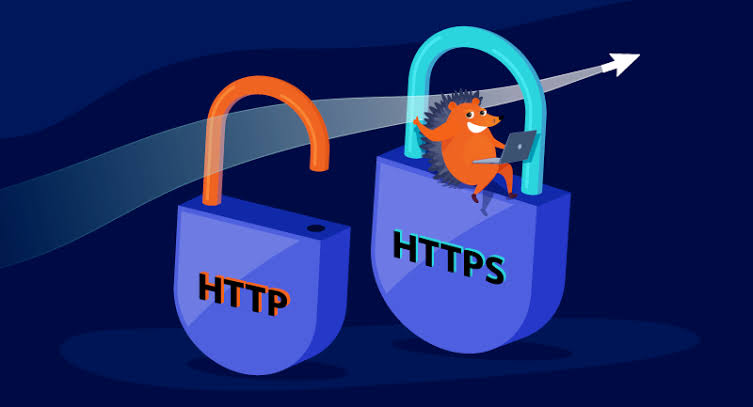
To understand HTTPS, it helps to look at HTTP, which is the basic system browsers use to load web pages. When you add TLS encryption to HTTP, you get HTTPS.
You can easily spot HTTPS in your browser’s address bar:
- Secure websites start with
https://and display a padlock icon next to the web address. - Unsecured websites start with
http://and show a “Not Secure” warning in modern browsers like Chrome and Safari.
Once you enable HTTPS, you can take your site’s protection and search rankings a step further by configuring [HTTP security headers](link to: “5 HTTP Security Headers You Need To Know For SEO” blog post).
How They Work Together: A Simple Summary
| Term | What It Stands For | Simple Explanation |
|---|---|---|
| SSL | Secure Sockets Layer | The original security technology (now outdated, though the name is still used). |
| TLS | Transport Layer Security | The modern, active encryption that locks and protects your website’s data today. |
| HTTPS | Hypertext Transfer Protocol Secure | The visible result in your browser showing that a website is encrypted and safe to use. |
3 Big Benefits of Using HTTPS on Your Website
- Protects Your Visitors: Even if you do not sell products online, HTTPS protects contact form submissions, newsletter sign-ups, and login details from hackers.
- Builds Instant Trust: Visitors are much more likely to stay on your site—and buy from your business—when they see the secure padlock icon instead of a browser warning.
- Boosts Your SEO: In today’s SEO landscape , search engines like Google favor secure websites and give HTTPS pages a ranking advantage. Plus, it enables modern speed technologies like HTTP/2, which—when paired with fast web hosting—helps your site load up to 20x faster.
Get Free SSL and Fast Hosting with Bigfivehost
Securing your website should not be complicated or expensive. At Bigfivehost, we include free SSL certificates with all of our WordPress Hosting and web hosting plans so you can activate HTTPS and protect your visitors right away.
Combined with our server-level protection against malware and DDoS attacks, daily backups, and 24/7/365 support, you can focus on growing your business while we handle the technical security.
Ready to get started? Launch your website today with our 14-Day Free Trial and experience fast, secure hosting built for businesses of all sizes.